
Name-Based Case Searches
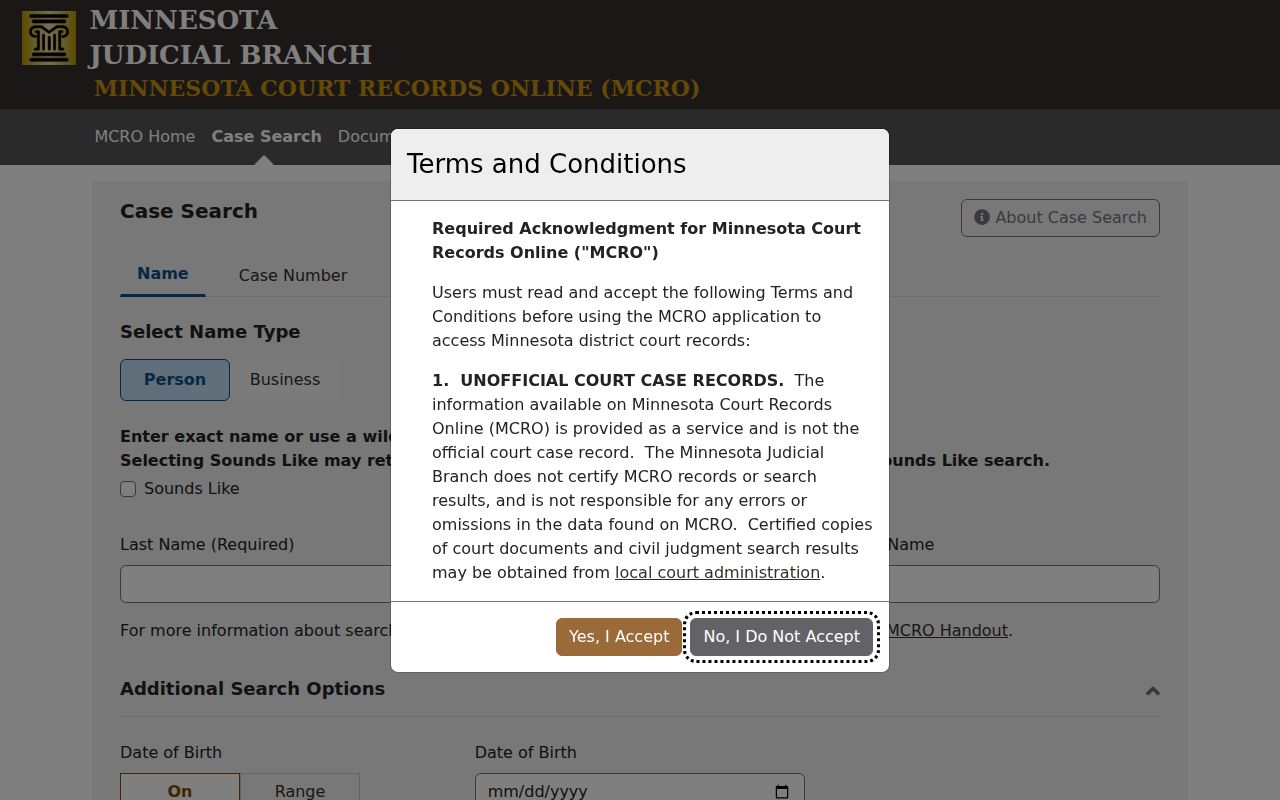
Minnesota runs one main public tool for this work: Minnesota Court Records Online Case Search, or MCRO. Accept the terms. Open the Name tab. Pick Traverse from the specific county court locations when you know the county. A name search helps when no case number is handy. Common names and spelling differences can muddy the results, though, so read slowly. No registration stands in the way. The records it returns are unofficial and non-certified.
- Accept the MCRO terms and select Name. Choose person or business as appropriate, then enter the last name and first name.
- Set Court Locations to specific county locations, find Traverse in the county list, and run the county search. A statewide search is broader and usually produces more unrelated results.
- Add a middle name, date of birth, date-filed range, category, or status only when the information is lawful and needed to narrow the result.
- Use exact-name behavior or a trailing * wildcard after at least two characters. Sounds Like may help with spelling, but it cannot be combined with wildcard.
- Open the matching case number, compare the case category, filing date, and location, then read Case Details and the Register of Actions. Treat a name hit as a lead, not identity proof.
The Case Search page groups its public controls in one place. Status choices are not spelled out on the page itself. Check them in the live interface instead of guessing what they offer.
| Field label | Type | Required | Options or format notes |
|---|---|---|---|
| Name | Tab and fields | No | Person or business; last, first, middle; exact name, trailing wildcard, or Sounds Like. |
| Case Number | Tab and text | No | Complete Minnesota case number; a Traverse number generally begins with 78. |
| Citation Number | Tab and text | No | Generally a 12-digit statewide citation number as printed. |
| Attorney | Tab and fields | No | Uses attorney or bar information as publicly exposed. |
| Date of Birth | Date or range | No | MM/DD/YYYY exact or range controls. |
| Date Filed | Date or range | No | MM/DD/YYYY exact or range controls. |
| Case Category | Checkboxes | No | Civil, Criminal, Family, Probate, or Mental Health. |
| Court Locations | Radio control | No | Statewide locations or specific county court locations. |
| Search by County | Filter | No | Filter the county list, select Traverse, then execute the county search. |
| Case Status | Dropdown | Unspecified | Inspect the current list before using it as a filter. |
| Find and Clear | Buttons | Not applicable | Find runs a search; Clear removes the entered values. |
Traverse County Docket Search Filters
Spell the name exactly on your first Traverse County docket search pass. A wildcard works when you know a solid spelling stem. Sounds Like helps when the spelling might vary. Official guidance says to pick one of those methods, never both. Filters for date of birth and filing date can trim a long result list. Use restraint. Public search fields can carry personal data. Name searches can also miss pending criminal, traffic, and petty-misdemeanor matters where no conviction has occurred. That matters most for a fresh filing or citation. If you have a notice, citation, or case number, search on that identifier. Do not treat a name no-result as the last word. And never republish party details just because a result screen shows them.
Note: A shared name does not make one court matter. Before calling two same-name results the same case, compare the county, filing date, category, and case number.
Traverse County Docket Search Terms
MCRO asks you to accept its terms before any public Case Search starts. Registration is not part of the process. What you get back is unofficial and non-certified.
Treat the public result as a lead. For certified copies or a fuller court record, go through Traverse County Court Administration or the terminal at the courthouse.
Case Number Searches
A case number is the best key for a Traverse County docket search. In MCRO, choose Case Number, type the complete number exactly as printed, and hit Find. Traverse County's code is 78. Criminal numbers commonly start with 78-CR-, while civil numbers commonly start with 78-CV-. A statewide official example looks like 78-CV-SW-24-1. Take the punctuation, case-type code, year, and sequence straight from the record or notice. Do not reconstruct them.
Once a result opens, read the case detail and ROA. Then run MCRO Document Search with the same number. That tool takes a case number, not a broad name search. Images can be viewed or downloaded without charge. An image is not a certified copy. For a court-authenticated product, contact Court Administration.
Traverse County Docket Search Numbers
Four pieces make a case number work: county code, case-type code, year, and sequence. The 78 prefix by itself tells you nothing about case type. Read the full code on the record instead of inventing meaning from a caption. Statewide guidance says CR marks a mandatory-appearance citation and VB a non-mandatory-appearance citation in the proper context. Not every criminal or traffic matter uses the same suffix.
The Citation Number tab sits apart from the Case Number tab. A citation number is usually a preprinted 12-digit number on the citation itself. Enter it exactly as the form asks. If neither name nor citation finds the case, Traverse County's local fine-balance instructions say to select Traverse. Pick the criminal, traffic, or petty case records. Open the blue case link. Check Financial Information near the bottom of the ROA.
Traverse County Docket Search Attorney
MCRO Case Search also offers an Attorney tab for public attorney or bar information. It can find a Traverse County court matter without any party-name search.
Before trusting a similar attorney name, confirm the case number, filing date, category, and location on the result.
Case Search Results Explained
A public result can lead you to Case Details and the Register of Actions. The ROA lists events in order. It does not replace every filed document. Only information the access rules and case type allow will appear. When you save a result, keep the case number and retrieval date with it. Keep private party identifiers out of any public note.
| Case number | The unique court identifier, including the Traverse County prefix and case-type information where shown. |
|---|---|
| Filing date and location | The public filing date and court location used to distinguish a local result. |
| Category and status | The case type and public status. A category should be read as displayed, not inferred from the caption. |
| Parties and attorneys | Public roles and attorney or bar information when the interface displays them. |
| ROA events | Dated filings, settings, orders, dispositions, and financial events that the record makes public. |
| Document index | Descriptions and links to public images when a document is online and remotely available. |
| Restriction indicator | A sign that some information, documents, or images are redacted, sealed, or otherwise limited. |
Traverse County Docket Search Products
MCRO actually offers four public products, not one master search. They are Case, Document, Hearing, and Judgment search. Case Search opens the door to case detail and the ROA. Document Search needs a case number. Hearing Search works from a person or business, case number, judicial officer, or attorney. It runs within a date range. Judgment Search sorts money judgments by judgment debtor, docketed date, status, and location.
The official Case Search interface is the statewide public entry point. A Traverse County search runs through it.
Match the product to the question you are asking. A judgment search will not hand you a full case history, and a hearing search only shows settings.
Two Ways to Search: County and State
Traverse County runs no docket portal of its own. Both routes here go through MCRO. The choice is scope. A statewide search sweeps every court location, while the county option lets you pick Traverse from MCRO's list. When the matter is clearly local, filter by county first; go statewide only if you are unsure where the case sits.
| MCRO statewide search | MCRO with Traverse selected |
|---|---|
| Searches participating Minnesota court locations. | Narrows the same public system to Traverse County court location results. |
| Useful when the county is unknown or a case may be elsewhere. | Useful for a known Traverse matter and for reducing same-name results. |
| Can be broader and noisier for a name search. | Still subject to public-access rules and remote-record limits. |
| Uses Case, Document, Hearing, or Judgment product controls. | Does not create a separate local database or a fuller remote case file. |
Traverse County Docket Search Scope
The remote view on MCRO has limits. It is not the deepest electronic look at Traverse County court records. Minnesota courthouses offer public-access terminals. The Judicial Branch calls those terminals the broadest electronic access available. For paper files, older material, certified copies, or a case that simply is not online, Traverse County Court Administration handles those requests in person. Stop by 702 Second Avenue North in Wheaton. Hours run Monday through Friday, 8:00 a.m. to 4:30 p.m.
MCRO does not offer a county-filtered export of every Traverse case. Results from a docket search are a list of matches, not a complete county docket. The court has no separate bulk-download system either. Once a case turns up, the Traverse County court case records route helps. It walks through the online, terminal, copy, and certification options.
Traverse County Docket Search Dates
The date fields answer different questions. Case Search narrows by Date Filed; Hearing Search wants a hearing-date range. Pick the one that fits, since the two dates do not mean the same thing. When you save a result, note the date you pulled it. MCRO does not publish its refresh interval.
Which Cases Stay Restricted
Minnesota Rule of Public Access 8 opens many records to public inspection and copying. Remote access is narrower. Protected identifiers, evidence, and restricted case types may stay off the remote view. Rule 4 lists the records and categories the public cannot reach at all. So a public case can show its shell online. Its documents stay hidden.
Juvenile and CHIPS material often falls out of view. So can some domestic-abuse or harassment matters. Civil commitment records, certain family or paternity documents, evidence, and anything sealed can drop out too. To request confidential-record access, a person may go through the CON100 and CON101 process. A judicial officer rules on it. A result or a no-result changes nothing about the access order already in place.
Traverse County Docket Search Limits
MCRO labels its own records unofficial, sometimes incomplete, and non-certified. Treat it as a court-reference tool. It verifies identities and certifies nothing. A missing document can be old, unimaged, restricted, or simply outside remote coverage. Public civil and criminal document coverage reaches many records from after July 1, 2015, within rule-based limits. That date guarantees no image.
When a case will not appear, work in order. Keep the exact case number if you have it. Try the right MCRO product first. Then try the Traverse courthouse terminal or Court Administration, before concluding the record does not exist. The court can explain its access procedure, but it cannot give legal advice. That sequence keeps a public web result separate from the court-maintained record.
A known case number usually beats a broad name search. This holds especially true for a recent criminal, traffic, or petty matter.