
Traverse County Court Docket Searches
Start with Minnesota Court Records Online, or MCRO. Accept the terms, pick the tab matching your identifier, and choose Traverse from the county court locations. For a Traverse County court docket, MCRO is the remote workhorse. It handles a known case, a citation, a scheduled hearing, or a public judgment well. Just remember it is not a certified record.
A full case number works best. Searching by name? Narrow things down with the county, a case category, and other lawful details before you dig. Open the case detail and its Register of Actions, the case history in date order. A hearing hit only marks a scheduled event. Later activity and any public result land in the Register of Actions instead.
- Open MCRO and accept the public-access terms.
- Choose Case Number, Citation Number, Name, or Attorney.
- Select Traverse under specific county court locations.
- Enter the narrowest available identifier and run the search.
- Open the case detail, then read the Register of Actions and public documents.
- Ask Court Administration for an official copy, older file, or access procedure when the remote result is incomplete.
Note: A remote search that returns nothing does not prove a Traverse County court record is absent, since access and coverage limits can hide public material.
Traverse County Docket Number Clues
Traverse County’s case-number prefix is 78. A criminal file usually opens 78-CR-YY-####; a civil file usually opens 78-CV-YY-####. The prefix narrows a statewide search. It still cannot stand in for the full number, category, year, and sequence. Take the number straight off your notice or citation. Reconstructing it invites errors.
Minnesota’s citation and case-number explanation sorts out the case types. Traffic matters differ. The citation number is generally a 12-digit number printed on the citation itself. MCRO keeps Case Number and Citation Number tabs as separate routes. So a failed name search means little when one of those identifiers is in hand.
Official MCRO information lays out the public system’s case, document, hearing, and judgment products. That official overview matches this page’s illustration. Pick the product that fits the question you are actually asking.
A case search returns an index plus a Register of Actions. Document Search needs a case number, while hearing and judgment searches each answer a different, narrower question.
Court Dockets: What They Show
A Traverse County court docket is not one tidy document. At its core sits the Register of Actions. It is a dated list of public activity in a single case. The case detail adds the court location, category, status, and public party roles. Entries may reflect a filing, hearing, motion, order, disposition, or financial event. What is available depends on the case type. The access rules matter too.
| Case number | The court identifier, often beginning with 78 for Traverse County. |
|---|---|
| Case details | Filing date, court location, category, status, and public party or attorney roles. |
| Register of Actions | A chronological list of public filings, court events, settings, and orders. |
| Hearing setting | The date, time, type, officer, and location shown when publicly available. |
| Disposition | The public case result, if one has been entered. A charge and a disposition are different things. |
| Document index | A list of filings or images that are available under the remote-access rules. |
Financial entries can show fines, costs, restitution, payments, a judgment amount, or a balance. Read them in context. Once collection fees are added, a county collections balance can differ from the court’s own financial entry.
Traverse County MCRO Search Products
MCRO breaks its public offerings into four products. Case Search is the standard road to a Register of Actions. Document Search takes a case number. It returns only documents that are both online and remotely accessible. Hearing Search runs on a name, case number, judicial officer, or attorney. Filters cover date, category, and county. Judgment Search targets docketed money judgments.
The Minnesota Judicial Branch access page is blunt. Remote access is not the fullest public electronic access. It also points to the courthouse terminal as a key alternative when the remote view falls short. Match the product to the real question. A calendar, a document index, and a certified copy are not interchangeable.
That official access page anchors this court-records illustration. Its public-access focus suits a Traverse County docket search that needs a backup once an online result runs thin.
MCRO gives an efficient first look, while the courthouse terminal, the Court Administration counter, and copy-request routes each fill a different gap.
Traverse County Courts and Their Dockets
Traverse County has one state district-court location: Traverse County District Court. It is part of Minnesota’s Eighth Judicial District. It holds original jurisdiction over civil, family, probate, juvenile, criminal, and traffic matters. All of them are filed in the county. No separate county criminal, civil, justice, or municipal court docket systems operate alongside it. Still, read any citation or notice carefully, since it can name a different administrative route.
| Court or system | Docket covers | Where to search |
|---|---|---|
| Traverse County District Court | Local civil, family, probate, juvenile, criminal, and traffic cases | MCRO, courthouse terminal, or Court Administration |
| Minnesota Court of Appeals | Appeals from district-court orders and judgments | P-MACS |
| District of Minnesota | Separate federal cases and bankruptcy matters | PACER or CM/ECF, not MCRO |
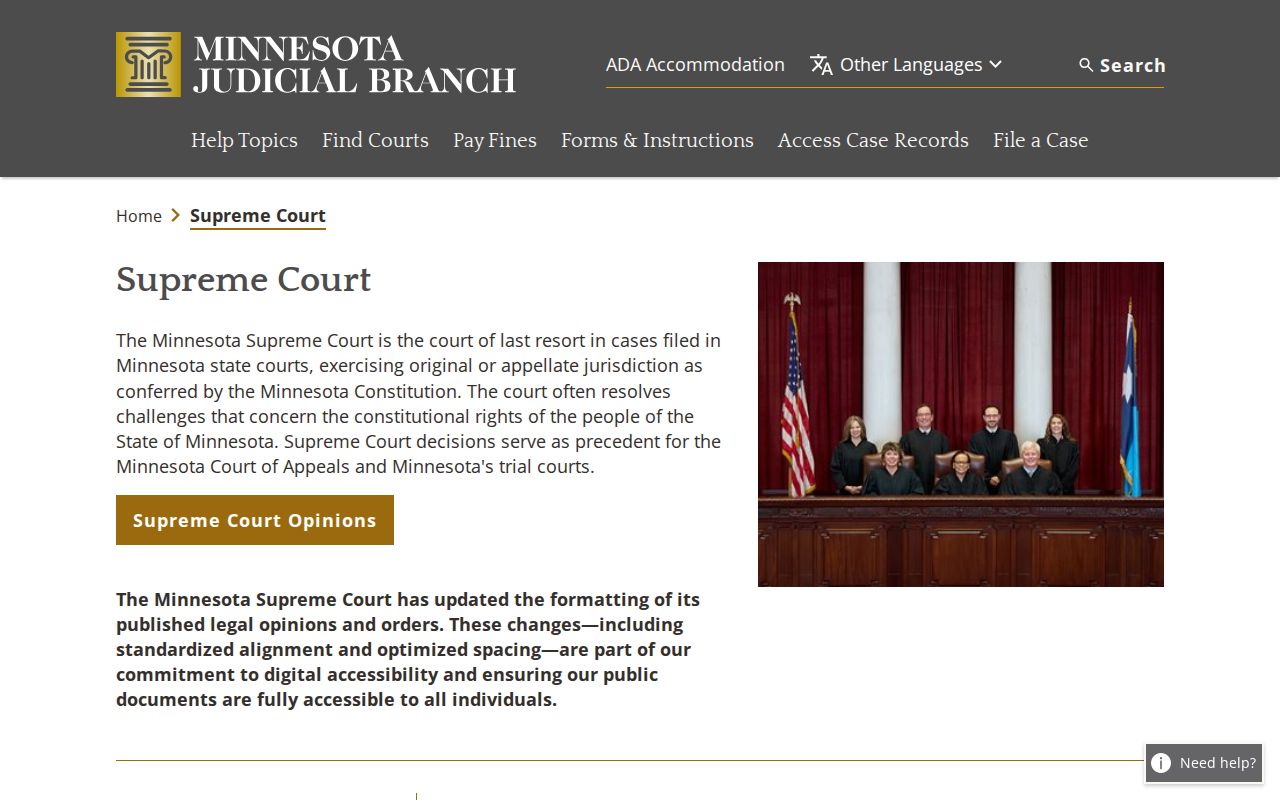
The statewide court-structure page supplies the hierarchy behind this official image. It places the Traverse County trial docket within Minnesota’s Supreme Court, Court of Appeals, and District Court system.
Appeals and federal matters live in separate systems. An MCRO result is a state district-court record, not an appellate or federal docket.
Traverse County Courthouse Access
The building and the online system complement each other. Traverse County District Court sits at 702 Second Avenue North in Wheaton. For public-access questions, Court Administration is the local contact. It handles paper files, certified copies, and older records. The official court page posts weekday hours, free parking, and the local calendar link, and its listing anchors the illustration here.
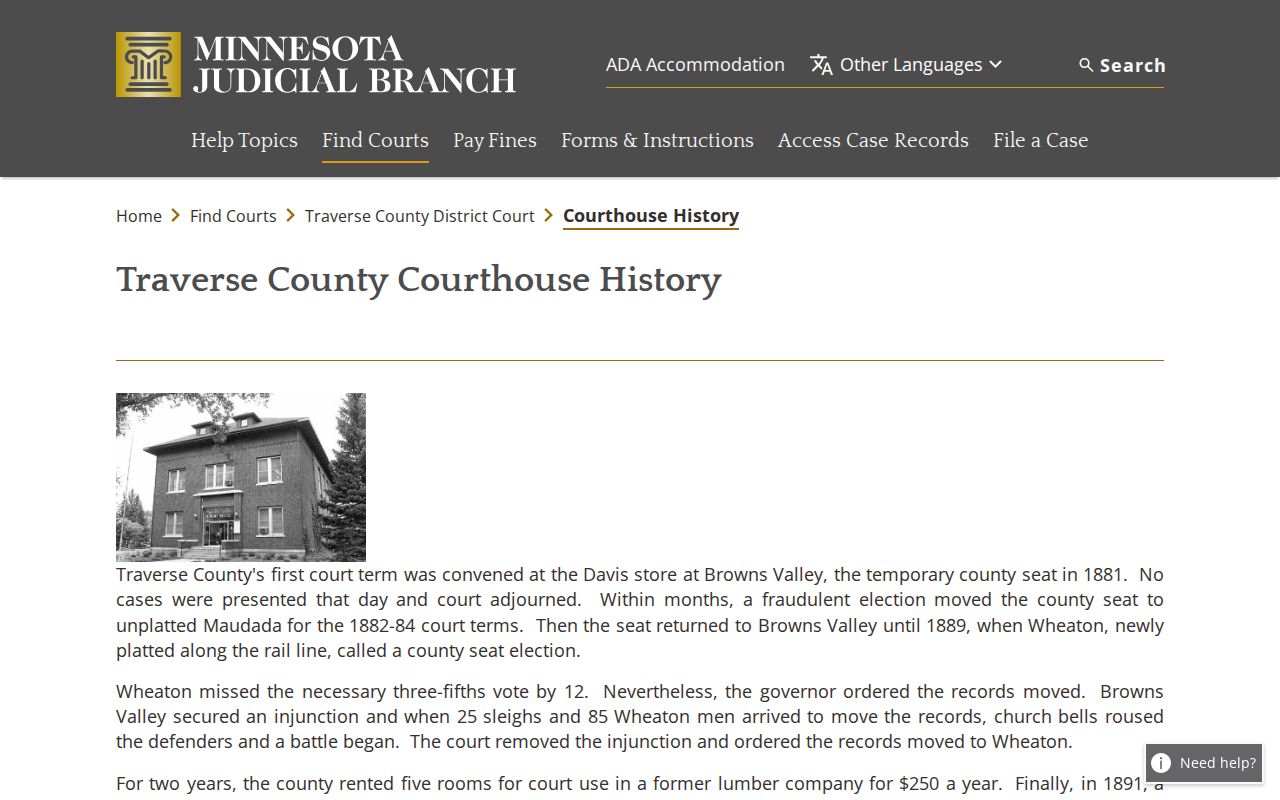
Wheaton hosts Traverse County's modern courthouse, though Browns Valley served as the original county seat until the records moved in 1891. That bit of history matters for a docket search. A city name inside the county does not create a separate city docket. All Traverse County court records route through the one courthouse.
Public terminals sit inside every Minnesota courthouse, and the Judicial Branch calls them the most complete electronic access. Bring a case number, a citation number, or exact party information. Then ask for the product you need. It might be the Register of Actions, a public document, a calendar, a judgment record, or a certified copy.
Court Dates and Settings in Traverse County
Where can you spot a Traverse County hearing date? Three places carry it: the Register of Actions, the MCRO Hearing Search, and the official daily calendar PDF. That calendar is only a snapshot of scheduled events. A listing proves nothing about what happened in court. It can never replace the full case chronology. Match the case number, type, date, time, and location before you count on any entry.
The local court page posts the daily calendar by 7:00 a.m. on business days and refreshes it hourly. Confidential cases and non-remotely-accessible cases are left out, and printed courthouse calendars are the most current of all. For a full walkthrough, use the Traverse County court schedule page. Or call Court Administration when a setting looks uncertain.
Traverse County Calendar Limits
Do not read much into a blank calendar line. A missing entry never proves a matter was cancelled, moved, or resolved. A prior setting can linger in the Register of Actions after a continuance, while the change shows up only in a later entry or the newest public calendar. Treat the calendar as a time-sensitive view. Save the retrieval date whenever a setting truly matters.
For verification, the official Traverse court page is the best local stop. It links to the court's contact details too. Traverse County publishes no courtroom-number map and no permanent public judge assignment page, so Court Administration is the right source for current local procedure.
Docket Access Under Minnesota Law
One statewide rulebook governs Minnesota court records: the Rules of Public Access to Records of the Judicial Branch, not any county-built open-records portal. The rules draw separate lines for inspection, copying, and remote viewing. A record open at a courthouse terminal may display far less online. Protected identifiers, evidence, and juvenile matters may be limited. So can some family material and sealed or confidential records. Some items are missing entirely.
Key Minnesota access rules:
Rule 8 explains public inspection, copying, registers, calendars, indexes, and limits on remote access.
Rule 4 identifies court-record categories that are not accessible to the public.
General Rule 11 governs redaction and nonpublic-document practice.
General Rule 14 sets the electronic filing and service framework without making restricted records public.
Note: A public case can still hold restricted documents inside it, so the Register of Actions you see and the document images available may not line up.
Traverse County Terminal Access
Start remote with MCRO, since it is the quick first step. The Traverse County courthouse terminal is the stronger route. It serves older files, restricted material, or public records that were never imaged. Staff there can explain procedure and point you to a paper file or a copy route, though they cannot give legal advice. Want a certified copy? That comes from Court Administration, not from a downloaded image.
The state lays out every channel in Access Trial Court Records. For a confidential record, the CON100 instructions and the CON101 request form outline how to seek access. A judicial officer makes the call. That process is a separate track from an ordinary public record search.
Traverse County Court Record Choices
Name the product before anything else. The word "docket" covers several different things. Each one follows its own search or request path. MCRO gives you the public case view first. Court Administration handles local procedure for a public paper record, an older file, or a certified product. State the case number and the exact record you want, and you cut the risk of walking away with something else.
- Register of Actions
- The chronological public case history, including events, settings, and public dispositions.
- Calendar
- A time-sensitive list of scheduled hearings, not a complete case history or outcome.
- Document index
- A list of filings or court-generated documents that may have public images available.
- Certified copy
- A court-authenticated copy obtained through Court Administration, rather than an ordinary remote download.
This distinction also saves you from delay. A judgment search targets docketed money judgments, while a document search expects a case number and may not return the case history. One more wrinkle: if a document is restricted, asking for access and asking for copies are two separate steps.
How the Clerk Keeps Docket Records
Minnesota runs its district courts through a statewide administration structure, so there is no separately branded Traverse clerk portal. Court Administration holds the local operational access, while MCRO supplies the public-facing search layer. The office can help you pick the right record product, arrange a plain, certified, or exemplified copy, and map the route for older or restricted material.
Traverse County District Court Administration
702 Second Avenue North
P.O. Box 867, Wheaton, MN 56296
(320) 422-6010
Monday through Friday, 8:00 a.m. to 4:30 p.m.
A request lands best when it names the county, the case number and year, the document or record sought, the copy format, contact information, delivery preference, and payment method. Check the current fee page when you send the request. Fees and product details can change.
Traverse County Docket Technology
MCRO arrived in 2021 and now carries case, document, hearing, and judgment search products. Older Traverse fine-balance instructions still say MPA Remote, the former label. The sequence in those instructions still works, but the live public interface is MCRO. Anyone arriving from an old bookmark should not hunt for a portal that no longer exists. Use the current MCRO tabs.
Appeals live on a separate layer entirely. The P-MACS public-access system is Minnesota's appellate search route. Its official entry point shows the split. A Traverse trial-court search and a later appeal demand different systems.
Federal cases run through PACER and CM/ECF instead. A Traverse County address or party alone does not turn a state district-court case into a federal docket.
Traverse County Court Balance Checks
Before checking a balance, know which record you are in. Traverse County’s official fine-balance instructions say to pick Traverse first. Then open the criminal, traffic, or petty case record. Search by case number, citation, defendant, or attorney. Financial Information sits near the bottom of the Register of Actions. The page still uses older MPA Remote terminology, though the current search destination is MCRO. The old workflow used a blue case link. It now means opening the available case detail in the current public system.
A court financial entry and a collections balance are not the same thing. If a collections event shows up, be careful. The county instructions warn that collection fees may affect the balance. They send you to the Minnesota Department of Revenue for that side. That warning does not mean the court record is wrong. It simply means the two financial views serve different parts of the process. A citation, hearing notice, and current court instructions control any particular matter.
Paying and appearing in court are separate choices too. Need the official citation lookup? The Traverse County traffic court page covers it. It also covers payment routes and consequences described by the Minnesota Judicial Branch. Court Administration is the local call when a balance, setting, or access question is unclear.
City-by-City Court Dockets in Traverse County
Traverse County has four incorporated cities and one state district-court location. Wheaton, Browns Valley, Dumont, and Tintah keep municipal government records. The county posts no separate municipal court docket portal. None of the four cities has one. Read the citation or notice first. A case carrying the 78 county prefix routes to MCRO and Traverse County District Court. A city-directed notice can be an administrative matter rather than a court record.
Wheaton Court Records
Population 1,460 in the 2020 Census. City Hall and the county courthouse are separate offices.
Browns Valley Court Records
Population 558 in the 2020 Census. Ordinances and city payments are not a discovered court portal.
Dumont Court Records
Population 75 in the 2020 Census. Use citation instructions and the county route for state cases.
Tintah Court Records
Population 67 in the 2020 Census. A known citation or case number is the safest routing clue.
Map and Directions to the Traverse County Courthouse
Traverse County District Court files, covering civil, family, probate, juvenile, criminal, and traffic matters, are kept at the 1891 red-brick Traverse County Courthouse in Wheaton, county seat since a 1891 railroad dispute moved the records there from Browns Valley. Court Administration and the courtroom functions sit on the court/second-floor portion of the building.
Traverse County Courthouse
702 Second Avenue North
P.O. Box 867, Wheaton, MN 56296
(320) 422-6010
Monday through Friday, 8:00 a.m. to 4:30 p.m.
Free parking is listed at the courthouse. A statewide security order took effect September 1, 2026 requiring a current visitor check, so confirm the entry procedure with Court Administration before traveling, especially for an older file or a certified copy.